Dedicated Email Servers: A Practical Setup Guide
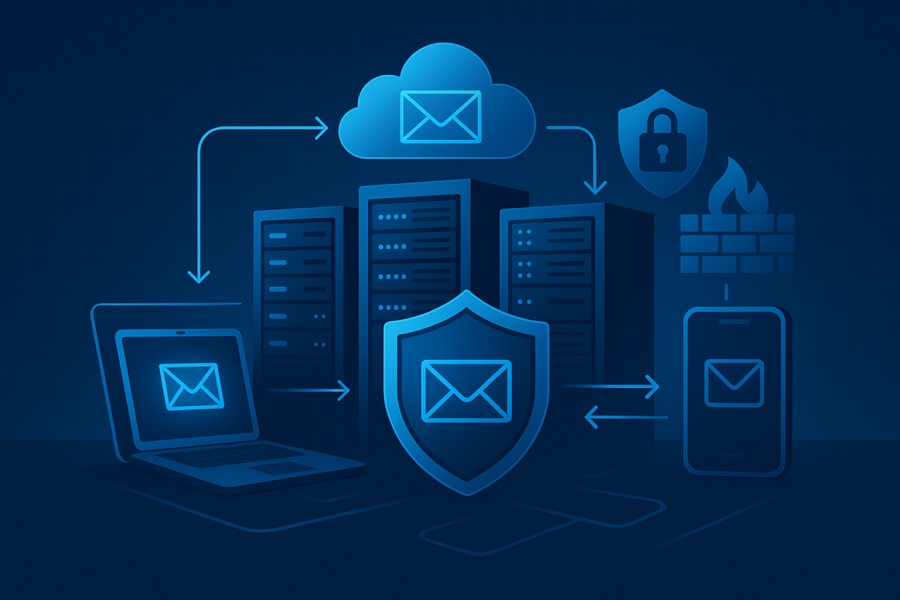
So you have decided to move to dedicated email servers. That decision alone will not put your messages in the inbox — the configuration that follows will.
Most deliverability problems are not caused by bad content. They come from missing DNS records, a cold sending IP, noisy neighbours on shared infrastructure, or a reputation damaged before anyone noticed. This guide covers the operational side of dedicated email: how to plan, deploy, authenticate, warm up, and monitor your environment so messages actually reach their recipients.
If you are still weighing whether the switch is worth it, read our earlier guide on why a dedicated email server improves deliverability. This article assumes the decision is made and focuses on execution.
How Dedicated Email Servers Work
A dedicated email server is a server reserved entirely for your organization's mail traffic. You control the mail transfer agent (MTA), the sending IP, the message queues, the authentication records, and the filtering policy. Nothing is shared with other customers.
That isolation matters because mailbox providers judge reputation at the IP level. On shared hosting, one customer's spam campaign can drag down every sender on the same address. With dedicated email servers, the reputation you build is yours — and so is the responsibility for every configuration mistake.
In practice, a dedicated setup delivers four things shared platforms cannot: a clean sending history, predictable throughput, complete DNS control, and the freedom to separate traffic streams.
Plan the Deployment Before You Touch a Server
Split your traffic. Transactional mail (receipts, password resets, alerts) and marketing mail should never share a sending identity. If a campaign draws complaints, your critical transactional messages should stay unaffected. Use separate IPs or separate subdomains.
Estimate your volume. Calculate messages per day, peak-hour concurrency, and average message size. Add headroom of at least three times your normal peak — campaigns and incidents do not wait for capacity upgrades.
Choose a domain strategy. Send from a dedicated subdomain such as mail.yourdomain.com or news.yourdomain.com rather than your root domain. A subdomain keeps your main domain's reputation insulated.
Check compliance needs. If you handle healthcare, finance, or EU customer data, confirm data-residency requirements before choosing a data center location. Dedicated email server hosting in regions close to your audience also reduces latency.
Step-by-Step: Deploying Dedicated Email Servers
Provision the server. Choose a provider with a clean IP range, DDoS protection, full root access, and a 99.99% uptime SLA. Deploy in a data center near your recipients.
Set your DNS identity. Create the MX record, a forward-confirmed PTR (reverse DNS) record, and a consistent HELO/EHLO hostname. These three must agree with each other.
Authenticate the domain. Publish SPF, generate a DKIM key (2048-bit), and set DMARC. Start with
p=none, collect reports, then move toquarantineand eventuallyreject.Harden the MTA. Enable TLS for all connections, restrict relaying to authenticated users, set rate limits per domain, and disable open relays entirely.
Configure bounce and suppression handling. Automatically remove hard bounces, honour unsubscribes, and maintain a suppression list so you never email the same bad address twice.
Warm up before full sending. Begin with your most engaged recipients and increase volume gradually over four to eight weeks.
DNS Authentication: The Records That Decide Delivery
| Record | What it does | Common mistake |
|---|---|---|
| SPF | Lists servers allowed to send for your domain | Exceeding the 10 DNS-lookup limit with too many include statements |
| DKIM | Cryptographically signs messages so providers can verify origin | Using a 1024-bit key or never rotating keys |
| DMARC | Tells providers how to handle unauthenticated mail and sends reports | Leaving p=none forever with no reporting review |
| PTR / rDNS | Maps your sending IP back to your hostname | PTR does not match the HELO name or the forward DNS |
Authentication is not a one-time task. Rotate DKIM keys periodically, review DMARC aggregate reports weekly, and re-check records whenever you migrate infrastructure.
IP Warming: A Practical Schedule
A new dedicated IP has no reputation. Mailbox providers treat it as unknown, and unknown means cautious filtering. Warm it gradually:
| Phase | Volume | Who to send to |
|---|---|---|
| Weeks 1–2 | 50–200 messages/day | Your most engaged, recently active recipients |
| Weeks 3–4 | 500–1,000/day | Expand to active users within 90 days |
| Weeks 5–6 | 2,000–5,000/day | Include moderately engaged segments |
| Weeks 7–8 | Scale toward target | Only if bounce rate stays under 2% and complaints under 0.1% |
Monitoring and Troubleshooting
Track these signals from day one:
Bounce rate — keep hard bounces under 2%; remove bad addresses immediately.
Spam complaint rate — stay below 0.1% (Google's threshold is roughly 0.3%).
Queue depth and delivery latency — rising queues signal a configuration or reputation problem.
Blacklist status — check daily during warm-up, weekly afterwards.
Engagement by provider — use Google Postmaster Tools and Microsoft SNDS for a sender's-eye view.
If your IP is listed on a blacklist, stop sending from it immediately, identify the cause (often a compromised account or a purchased list), fix it, and request delisting. Do not simply switch to a new IP and repeat the mistake — providers track domains as well as addresses.
Dedicated Email Servers vs Shared Hosting vs ESPs
| Factor | Dedicated email server | Shared hosting | Email service provider |
|---|---|---|---|
| Sending IP | Private | Shared | Usually shared; dedicated IP costs extra |
| Reputation control | Full | None | Limited by platform |
| DNS and MTA access | Full | Minimal | Not available |
| Traffic separation | Unlimited subdomains/IPs | Not possible | Plan-dependent |
| Compliance and data residency | You choose | Provider's terms | Provider's regions |
| Best fit | High-volume, compliance, transactional mail | Low-volume websites | Fast marketing setup |
If you send a few messages a month, an ESP is simpler. If email is part of your product or revenue, dedicated email servers give you the control that deliverability now demands.
Frequently Asked Questions
What is the difference between a dedicated IP and a dedicated email server?−
A dedicated IP is one address. A dedicated email server is the whole environment — the IP, compute, MTA, queues, and configuration — reserved for your organization.
How many emails can I send per day?+
There is no universal number. Volume depends on IP reputation, recipient engagement, provider limits, and list quality. Warm up gradually and let bounce and complaint rates set the ceiling.
Can marketing and transactional mail share one dedicated email server?+
Yes — but not the same IP or subdomain. Keeping the streams separate protects password resets and receipts when a campaign draws complaints.
What should I do if my dedicated IP gets blacklisted?+
Pause sending, find the root cause, clean your list, secure any compromised accounts, then request delisting. Expect several days to weeks for reputation recovery.
Do dedicated email servers support IPv6?+
Most modern providers do. However, IPv4 still carries the bulk of sender reputation data, so warm up IPv4 first and introduce IPv6 only after your sending is stable.
Is a dedicated email server worth it for a small team?+
If email directly affects revenue — invoices, order confirmations, client communication — yes. If you send occasional newsletters, a reputable ESP is more economical. Still unsure? Talk to our team about your sending volume.
Related Reading
Final Thoughts
Deliverability is infrastructure, not luck. Dedicated email servers remove the reputation risks you cannot control on shared platforms and give you the tools to build a sender reputation that mailbox providers trust. Plan the traffic split, authenticate properly, warm the IP patiently, and monitor relentlessly — the inbox follows.
Ready to build on your own infrastructure?
Gowebing offers dedicated email server hosting with private IPs, DDoS protection, 99.99% uptime, and 24/7 expert support across 64 global regions. See our dedicated email server solutions or contact [email protected] for a setup sized to your sending volume.